
What Does Added By Mention Mean on Snapchat? 2026 Explained
Are you getting requests from strangers through mentions but no one mentioned you in their story, and now you’re wondering if your account has been hacked? No, it’s not. The label added by mentions appears only when someone adds you from a friend’s story that mentions you. If you’re getting a request via mention but can’t find the mentioned story, the story likely expired by the time you signed in to Snapchat.
No worries, you’re at the right place. In this article, we’ve explored all the nitty-gritty of the Added By Mention label on Snapchat. From answering your question about what does Added By Mention means on Snapchat to showing you how this feature works, this guide has your back. So, without wasting time, let’s dive in!
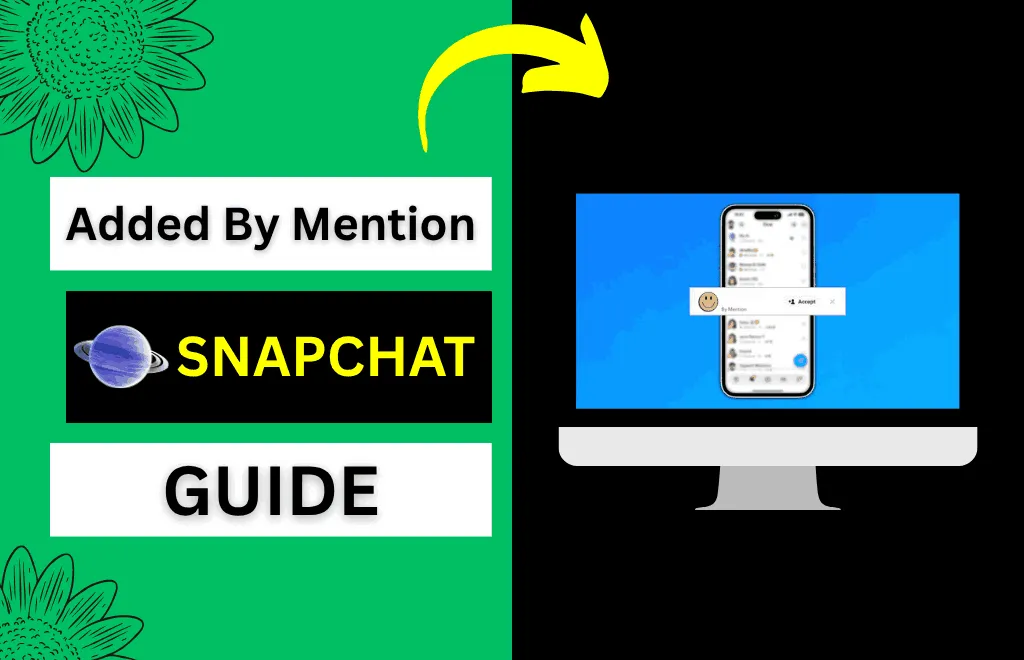
What Does Added By Mention Mean on Snapchat?
Although Snapchat has several ways to add a friend, including searching by username, Quick Add, or scanning Snapcodes, this feature helps you understand how your friend list is growing or evolving. The “Added by mention” label doesn’t mean they know you personally, that your private content is exposed, or that they searched your name willingly; it just shows how the other person found your profile. Moreover, this feature helps you expand your network organically and gently.
How to Add Someone by Mention on Snapchat?
- View the story in which a Snapchat user is tagged.
- Swipe up on the Snap.
- Press +Add.

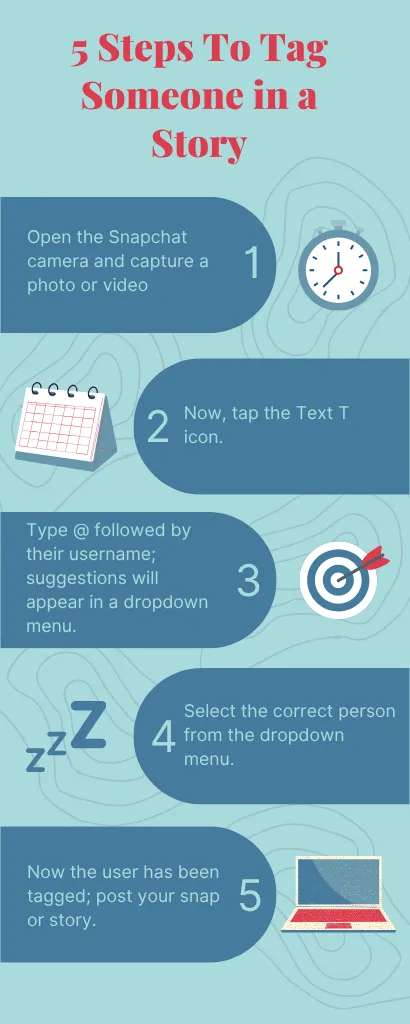
How to Tag Someone in a Story or Snap?
- Open the Snapchat camera and capture a photo or video
- Now, tap the Text T icon.
- Type @ followed by their username; suggestions will appear in a dropdown menu.
- Select the correct person from the dropdown menu.
- Now the user has been tagged; post your snap or story.
How Does the Snapchat “Added by Mention” Feature Actually Work?
- First, someone adds you in their story or snap using the @ symbol and posts it.
- A viewer sees their snap and taps your tagged username.
- Your Snapchat profile will open.
- They tap Add Friend.
- Now, Snapchat labels this friend request as added by mention, which only appears to you.
Public Story Mention
Since public stories reach a broader audience, a single tag can bring you numerous unexpected friend requests. If your friend tags you in a public story, you can get requests even from people you’ve never met or barely know.
Private Snap Mention
When your friend creates a private Snap that you’re tagged in and sends it to someone. The recipient taps the link, opens your profile, and adds you. Requests from private Snap mentions are more likely to come from people in your circle than complete strangers.
Reshared or Forwarded Content
Your mention can also go further than you expect, especially if someone forwards the Snap or story where you’re tagged. In this case, your profile may also be found by other people in that extended list.
I was Added By Mention, But Nobody Mentioned me in their Story?
- Story expired before you saw it: The most common reason is that your friend posts a story you’re tagged in, someone adds you from there, but you log into Snapchat late, and the story has already expired.
- Private Mentions: When someone tags you in a private story and shares it with a selected list of people, excluding you. Then you’ll not get to see that story in which you’re tagged, but the selected audience can still tap your profile from it.
- Discovery Page: Users can also land on your profile if you’re tagged in a story while browsing Snapchat’s Discover page to view random stories.
- Reshared stories: Your mention can also reach a completely different audience without notifying you if someone reshared the story where you’re tagged.
- Auto-suggestion glitch: If someone accidentally tagged you after typing @ and looking at suggested users, the system will still assign it as a mention-based discovery.
Added by Mention vs. Other Snapchat Add Sources
Besides Added by Mention, Snapchat also uses other labels to show how someone found you. Here are all of them with explanations:
Add Source | Meaning | Need Action From You? |
Added by Mention | Found your profile via a tagged username in someone’s story | No |
Added by Search | Typed your username in the search bar | No |
Quick Add | Your profile got suggested by Snapchat algorithm due to mutual connections | No |
Added from Contacts | Your phone number matched their synced contacts | No, but contact sync must be on |
Added by Snapcode | Scan your QR code | Code will be shared by you first |
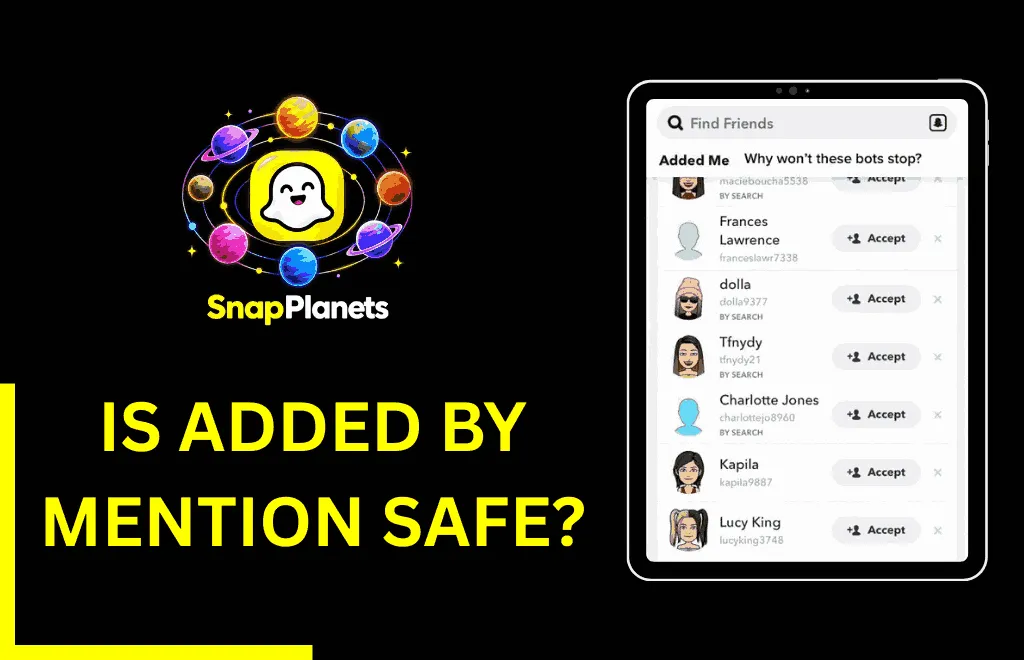
Is “Added by Mention” Safe?
The label itself is completely safe; however, the people giving you requests from mentions matter the most. If all the requests through mentions are coming from strangers, it might be because you’ve set your story to public instead of friends only, you have a public profile that anyone can view, or your username has appeared in public content without your knowledge. Although it’s not a security breach, it’s a sign to double-check your settings to avoid unwanted requests.
How to Control Who Can Mention or Find You
Step 1 — Limit Your Story Audience
Simply navigate to Settings → Privacy Controls → Who Can View My Story and turn it from Everyone to Friends.
Step 2 — Control Who Can Contact You
Start by going to Settings → Privacy Controls → Who Can Contact Me and switch to Friends if you don’t want unwanted requests from complete strangers.
Step 3 — Review Your Public Profile
If you’re a content creator and have set up a public profile, then review the settings by going to Settings → Public Profile and check what is visible to non-friends.
Step 4 — Turn Off Mention Notifications (Optional)
If the notifications are bothering you, consider reducing the noise without changing your privacy settings by going to Settings → Notifications.
Can You See Who Mentioned You on Snapchat?
Not every time. If someone mentions you in a story that you can see, you’ll see the tag. However, if someone mentions you in a private snap you’re not part of, a story shared with a custom audience other than you, or a story that has expired before you check it, you won’t see the mention tag. In these cases, you won’t see the mention tag, which can feel frustrating and mysterious.
What Happens When Someone Mentions You on Snapchat?
When someone mentions you on their Story or Snap, Snapchat sends you a notification that helps you see where you were tagged. If the Story is public, anyone who views the Story can also see your username. If it’s private, select people can see your username. They can tap on your username and go to your profile, which can increase profile visits.
Common Problems With “Added by Mention”
- You Keep Getting Requests From People You’ve Never Met: This can happen if you’ve set your story to public instead of friends, or your username appeared in popular public content. Make sure to review your Story privacy settings first.
- No One Mentioned Me in their Story, but the Label says Added By Mention: This can happen if the original content is private or has expired before you checked.
- The @ Feature Isn’t Working When I Try to Tag Someone: This can happen because your apps need to be updated, or the person you’re trying to mention has privacy settings that hide mentions.
- I Got a Mention Request From What Looks Like a Spam or Bot Account: Bot accounts sometimes mention random usernames to increase profile visits; it’s not a real mention, so completely ignore or block it.
What Should You Do When You Receive One of These Requests?
- If you know the person who made the request, you should accept it because they saw your profile through a mention and added you.
- If the request looks suspicious, mainly a bot or spam account, then ignore it completely.
- If you’re getting requests mainly from strangers, then review your privacy settings.
Difference Between Mention vs Tag on Snapchat
There is no difference between mention and tag on Snapchat. Explore the table below for more explanation:
Feature | Mention | Tag |
How it works | Uses @username in a story or snap | Uses the same @username as used in mention |
Where it appears | Mostly in Stories | Mostly in Stories |
Notification | Notify the user | Notify the user |
Clickable username | Yes | Yes |
Privacy control | Depends on account privacy settings | Depends on account privacy settings |
Can You Remove a Mention on Snapchat?
No, you can’t remove a mention from someone’s story on Snapchat by yourself. Snapchat doesn’t offer a button to hide a mention from a posted story. However, you can politely ask your friend to delete it. If the story is inappropriate, you can also report it and block your friend so they cannot tag you again. Furthermore, you can also review your privacy settings to limit who can interact with you in the future.
FAQs
Conclusion
Added by mention is a label that appears when someone adds you after discovering your profile through a mention in a Story or Snap. It simply tells you how that person found your profile and doesn’t indicate anything else. Although Snapchat offers several ways to find and add friends, this feature provides a more natural and organic way to expand your network. Now you’ve got an answer to your question about what does added by mention mean on Snapchat; you can better understand where your new connection came from.
