
What Do the Eyes Mean on a Snapchat Story? 2026 Full Explanation
Are you wondering whether the eyes icon under the Snapchat story also tells which person has rewatched your story and how many times? The answer is no. The eyes icon, also known as the rewatch indicator, only counts how many people have viewed your story again after seeing it for the first time. It doesn’t reveal the person’s name or how many times a specific person watched it.
This article covers all the nitty-gritty details of the eyes icon on Snapchat Stories, helping you understand the feature and use these insights to boost engagement if you’re an influencer. From answering “What do the eyes mean on a Snapchat?” to explaining how you can easily turn off this feature, this guide covers everything you need to know. Whether you’re an influencer or a casual Snapchat user, understanding this paid feature can help you make the most of your Stories.
What Do the Eyes Mean on a Snapchat Story?
Additionally, the numbers next to the icon indicate the number of people who have reviewed your story, not how many times each person has re-viewed your story. This is one of the visual indicators for tracking friendship interactions that helps Snapchat rank your top 8 best friends in the Snapchat planets.
Where Does the Eyes Icon Appear?
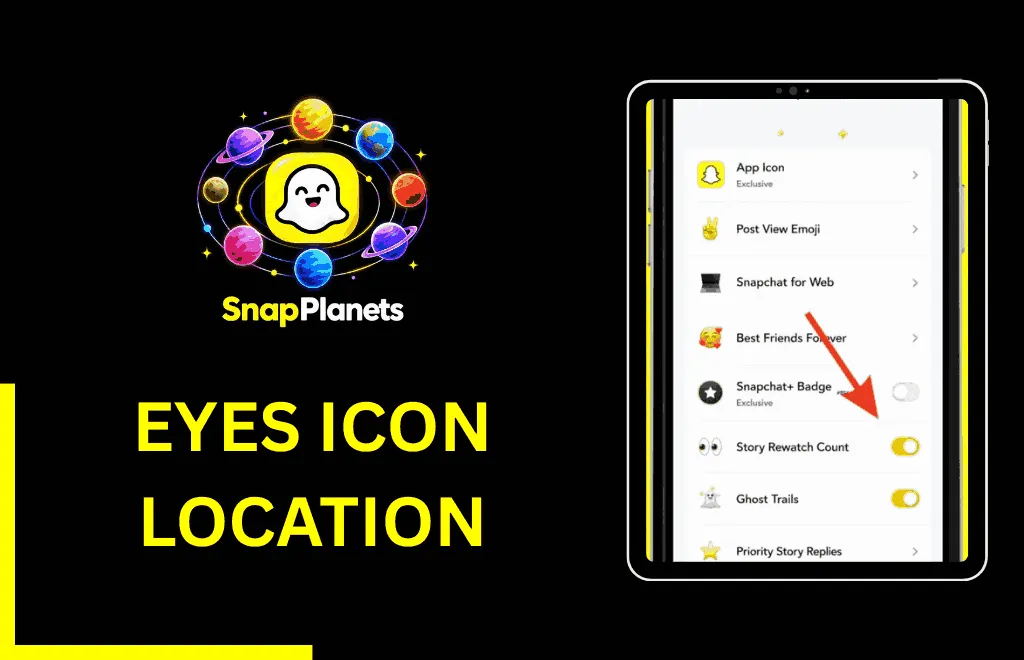
The eye icon on Snapchat appears below a story you’ve posted to My Story, a private story, or a shared story. You can only see this icon if you’re a Snapchat+ user. It’s positioned right next to the standard view count. While view count measures the number of people, including active people with green dots, who have viewed your story, the rewatch indicator measures return visits. If no one has re-viewed your story, the icon will not appear.
What is the Difference Between Views and Rewatches?
Is the Eyes Emoji Free or Only for Snapchat+ Users?
The eyes icon, or rewatch indicator, on Snapchat isn’t a default feature and is only available to users who’ve subscribed to the premium plan and are using Snapchat+. Snapchat premium gives users more features for greater insight and control. It also includes features like Friend Solar System, Story Boost, Ghost Trails, custom app icons, priority Story replies, and the rewatch indicator.
What Counts as a Rewatch on Snapchat?
Do Grey Eyes and Purple Eyes Mean Different Things?
Have you ever noticed that the eye icon on Snapchat used to be gray and now it’s purple? The eye icon used to be gray with two half circles, but Snapchat later introduced an update that changed the icon color to purple. In general, there is no difference in functionality; only the icons were updated, and the meaning remains the same.
How to Turn the Rewatch Indicator On or Off
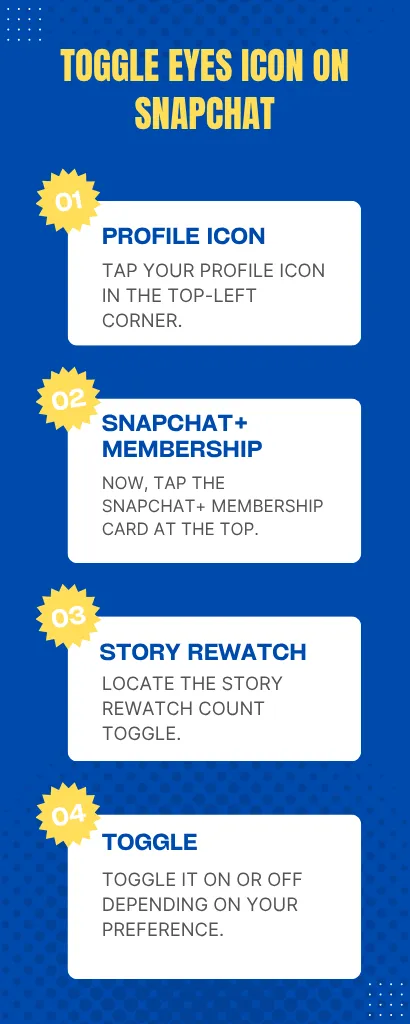
- Open Snapchat and tap your profile icon in the top-left corner.
- Now, tap the Snapchat+ membership card at the top.
- Locate the story rewatch count toggle.
- Toggle it on or off depending on your preference.
What Do the Eyes Mean on a Snapchat? Are you being watched?
No, the rewatch indicator or any other emoji on Snapchat doesn’t mean you’re being watched by someone. It shows how many people have rewatched your story, but it doesn’t show who rewatched it or how many times each person rewatched it.
How to Use Rewatch Data to Improve Your Stories
- Keep tracking which stories get the most rewatches, then look for patterns, such as subject lines or formats. This will give you a clear idea of what your audience expects from you.
- Stories containing humor, daily vlogs, or behind-the-scenes content often get the most rewatches. Combine rewatch counts with Snapchat insights to identify which stories perform best and when your audience is most active.

Why You Might Not See the Eyeballs Icon?
- Snapchat hasn’t updated your view count yet.
- There might be an app bug or internet connection issue.
- The eyeballs icon only appears under the story; make sure you’re not checking the Snap or chat option.
- You haven’t posted to a Story, Spotlight, or Public Profile.
- You’re using the free version of Snapchat.
FAQs
Conclusion
To conclude, the eyes icon under a Snapchat story is a paid feature that focuses on repeat engagement by showing only people who’ve reviewed your story after seeing it for the first time. Now you’ve got the answer to your question about what do the eyes mean on a Snapchat story; you can use these insights to improve engagement, especially if you’re an influencer on Snapchat.
