
What Does The Green Dot Mean On Snapchat? (Complete Guide 2026)
Are you wondering whether the green dot Snapchat shows next to your friend’s profile icon means they’re using the app right now? Although it’s an activity indicator, it doesn’t show real-time activity; instead, it tells you that the person was active on Snapchat recently and then left.
No need to worry, as you’ve stepped onto the right article, and from now on you’ll be well aware of this feature on Snapchat. From answering your question about what does the green dot mean on Snapchat to telling you how long it stays visible, this guide covers a lot more than that. You can also turn off this feature if it bothers you by following the easy steps below. So, without wasting time, let’s dive in!
What Does the Green Dot Mean On Snapchat Profile?

How Long Does the Green Dot Stay Visible on Snapchat?
Snapchat has not yet disclosed the exact timing of green dot visibility, as this indicator reflects recent activity and doesn’t last forever. However, if you’re using Snapchat in real time, it may stay visible for about 3 to 5 minutes after you stop using the app; if you were active in the past 24 hours, it may be visible for up to 24 hours, depending on your app usage.
How to Disable the Green Dot on Snapchat (Activity Indicator)?
Step 1: Open Snapchat
First, open Snapchat, then tap your Bitmoji or profile icon in the top-left corner.
Step 2: Open Settings
Now you’ll see the gear icon in the top-right corner. Tap it to open Settings.
Step 3: Privacy Controls
Scroll down to the Privacy controls section and find Activity Indicator. Tap on it.
Step 4: Turn off
Toggle off the activity indicator, and other people won’t be able to see your green dot, and you won’t be able to see theirs either.
What Does the Green Dot Mean on Snapchat? Is someone online right now?
No, it’s known as the activity indicator, not an online status. It doesn’t mean the person is using the app at that exact second; it indicates they used it a few minutes ago and then left. This green dot disappears after a period of inactivity. Background app refresh also plays a role: if the app refreshes while running in the background, the dot will appear again even without opening the app.
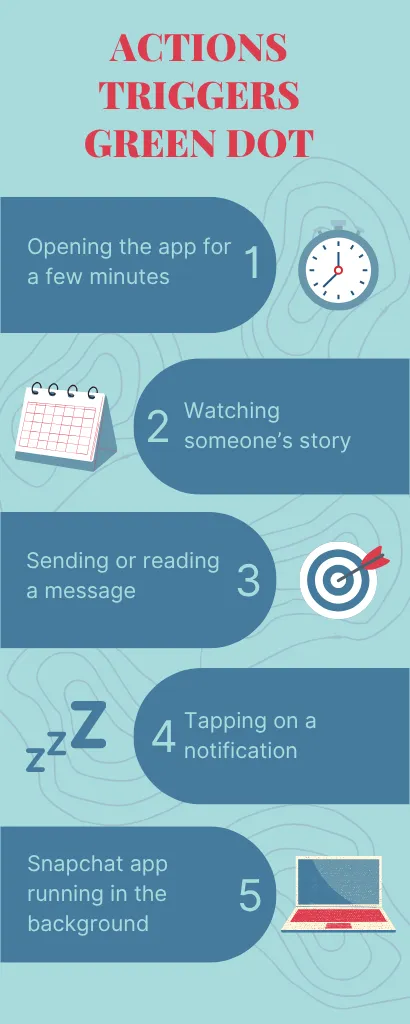
What Triggers the Green Dot on Snapchat?
- Opening the app for a few minutes
- Watching someone’s story
- Sending or reading a message
- Tapping on a notification
- Snapchat app running in the background
Where Does the Green Dot Appear on Snapchat?
- User Profiles: The green dot appears beside the person’s Bitmoji or profile icon, indicating they were recently active.
- Add Friends Screen: The indicator may appear beside suggested users or people connected through contacts, showing which account was recently active.
- Quick Add Suggestions: You may also notice the green dot indicator on quick add suggestions, making it easier to spot recently active users while browsing suggestions.
- Chat Interface: The green light may also appear around profile elements in chat sections.
Why Did Snapchat Add the Activity Indicator?
The main reason Snapchat added the green dot feature was to make conversations smoother and faster: if you see someone was active recently, you’re more likely to message them. It also helps you make new friends from suggestions because if you see a suggested person was active, they are more likely to respond. Apart from Snapchat, many social apps, including WhatsApp, Instagram, and Facebook Messenger, use this technique, but the only difference is Snapchat doesn’t show the exact last seen timestamp.

Can the Green Dot Be Wrong or Inaccurate?
- The background app refresh can activate the green dot without any user interaction.
- The dot may take longer to disappear due to slow syncing.
- The active status may appear longer than expected because of caching.
- Switching devices may also delay the dot from disappearing.
- The status may also be affected due to a poor internet connection.
Who Can See Your Green Circle on Snapchat?
The visibility of the green dot depends on your relationship with the user, and it’s not visible to everyone. Here’s a general breakdown of who can see your activity indicator:
Viewer Type | Can They See The Dot? |
Mutual friends | Yes, they can see it |
Suggested friends (Quick Add) | Can see if you have the feature on |
Random users | No, they can’t see it |
Why Do People Turn Off the Activity Indicator?
- They want to use the app without letting others know.
- They like to keep their habits private.
- They don’t want to feel pressured to reply as soon as they open the app.
- They want to minimize the unwanted messages from unknown people.
- They often disable it to protect their mental space.
Comparison of Green Dot on Snapchat & Other Apps
Below is a complete table featuring a comparison of the green dot on Snapchat vs. other apps:
Application | Indicator Type | Shows Exact Time? |
Snapchat | Green dot (shows recent activity) | No |
Green dot (shows active now) | Very often | |
Online status + last seen | Yes | |
Messenger | Active status dot | Yes |
What is the Green Dot On Snapchat’s Camera Screen?
The green dot on Snapchat’s camera screen is completely different from the activity indicator. It’s a system-level privacy indicator and appears on mobile, not in the app. Apple introduced this feature in iOS 14, and Android added the same alert in Android 12; this dot warns you that Snapchat is accessing your camera.
As soon as you open Snapchat, it directly opens the camera, and the dot starts to appear, but when you switch to the chats or stories section, the dot disappears. You may also see the orange dot on Snapchat, which means the app is accessing your microphone, and it appears only when you’re sending a voice note.
Does the Green Dot Appear For Snapchat Plus Users?
No, the activity indicator on Snapchat is available to all users, whether you’re on the free plan or a paid plan. While Snapchat Premium offers additional privacy and customization tools, the green dot stays the same for everyone, and the paid plan doesn’t change its behavior or appearance.
Psychological Impact of Activity Indicators
- The green dot may create anxiety to respond quickly
- Make people curious about whether someone is online
- They may increase social comparison
- They may encourage more engagement
FAQs
Conclusion
We’ve reached the end of the article, and I can confidently say that now you’re well-equipped with everything you need to know about green dot indicators on Snapchat. This guide has not only answered your question about what does the green dot mean on Snapchat, but also shown you how to disable this feature easily if it bothers you and makes you feel pressured. The green dot only shows that the other person was active on the app recently, and it doesn’t mean that he is using the app at the moment.
