
Snapchat Plus in 2026: Features, Pricing, Plans & Worth It? Explained
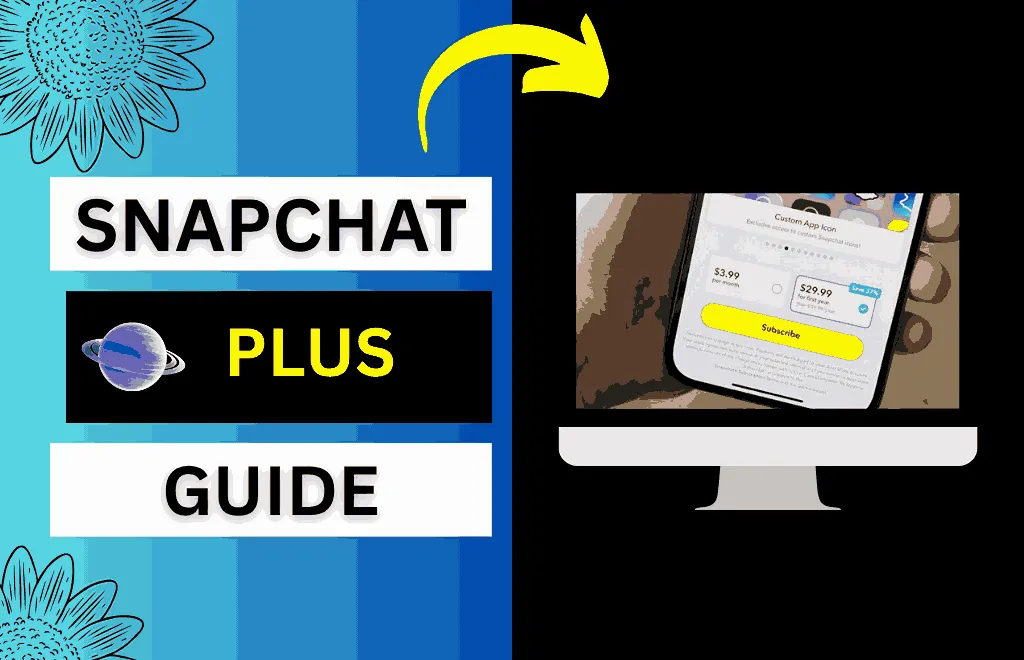
Want to make your Snapchat profile more personalized with exclusive features and customization tools but don’t know how? The Snapchat Plus plan is what you need. It’s a paid Snapchat subscription tier that offers users exclusive features, customization tools, and early access to experimental features. Although this plan costs only $3.99 per month, I understand the question on your mind: Is Snapchat Plus worth it for you?
No worries, you’re at the right article. In this article, we cover all aspects of the Snapchat Plus plan so you can decide whether to buy it. From explaining the benefits of all the paid features you’ll get after subscribing to guiding you on how to purchase this plan easily, this guide has your back. We’ve also shown you how to cancel your subscription on both Android and iPhone if you don’t want to renew. So, let’s dive in!
What is Snapchat Plus & What Does it Do?
This paid subscription is currently available in numerous countries, including the United States, Canada, the United Kingdom, France, Germany, Australia, New Zealand, Saudi Arabia, and the United Arab Emirates. Snapchat Plus aims to give users a unique app interface and a safe way to try new ideas. Snapchat also offers a 7-day free trial that lets users try the paid plan for free.
Snapchat Plus Features
Snapchat Plus offers exclusive features to users who subscribe to the premium plan. These features are designed to make the app more personal, fun, and connected with your friends. All of the paid features are listed below:

Story Rewatch Count
Snapchat Plus subscribers can now see who has rewatched their stories after seeing them for the first time, as the app shows a two-eyes icon below the story you’ve posted that counts how many people have rewatched it. Although it doesn’t reveal their identity or how many times they’ve rewatched it, it can help you identify what kind of content is interesting.

Ghost Trails
The Ghost Trails feature shows your friend’s location over the past 24 hours, along with their current location as a trail on Snap Map. However, you can only see it if the person has location sharing turned on in Settings and has specifically shared with you.

Streak Restore
If you’ve forgotten to send the snap to your friend and the streak has broken, no need to worry, as Snapchat Plus allows its subscribers to restore the streak once per month. If you want to restore more than once, you’ll need to buy additional streak restores in the app.

Pin Your Number One Best Friend
Snapchat Plus subscribers can pin a special friend at the top of the chat window, even if they’re not their best friend on Snapchat. It’s completely private, and only you’ll see that your friend is pinned; it doesn’t notify that user.

Custom App Icons
Snapchat Plus lets users customize the app icon with different colors and styles on your phone’s home screen. You can replace the ghost icon with 30+ themes available, including dark mode and seasonal options. This small change can make your phone home screen look unique and more colorful.

Friend Snapscore Changes
If you’re a subscriber, you can also measure your friend’s Snap Score and how much it changes over time. You can see if the snapscore is increased or decreased by tapping it

AI Camera Mode
It’s one of the most-used AI tools in the subscription, as it creates a snap using only a prompt. It doesn’t require a photo; users just describe what they want, and the AI creates it in no time.

Snapchat+ Badge
Snapchat displays a small black colored star icon next to your display name, which indicates you’re using Snapchat Plus. It’s usually turned off by default and can be turned on in settings within seconds.
Custom Story Expiration Timer
If you’re a paid Snapchat subscriber, you can also keep your story up longer than usual, as Snapchat lets users set their story expiration timer from one hour to one week.

Story Boost
Snapchat Plus also lets subscribers boost their story once a week to get more views and engagement. It’s especially helpful for content creators who want to attract a wider audience.

Bitmoji Backgrounds
Snapchat Plus offers subscribers custom, exclusive Bitmoji backgrounds that free users don’t get.

Priority Story Replies
If you’re a free user and have replied to a famous creator’s story, it’s more likely that your comment will be ignored. On the other hand, if you’re a Snapchat Plus user, your comment is more likely to be seen, as this feature helps your message appear higher and more noticeable.

Early Access to New Features
You can also try new features that haven’t been released yet if you’re a paid subscriber. This helps Snapchat identify weak points and improve the feature before it’s released to the public.

AI Lenses
AI lenses are smart technology that works in real time and automatically changes the face, background, or style. Users can easily create fun, creative snaps that look realistic.
Premium AR Effects
Premium AR effects are smoother, more advanced visual effects than normal filters. They only work with Lens Studio and are popular among users who enjoy visual content.
Friend Solar System
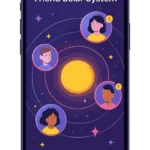
The Friend Solar System shows your friendship level. It shows your eight closest friends as planets orbiting you, with space icons. The friendship ranking is based on your interaction level with your friend; the more you interact with them, the closer you’ll be in their solar system. Subscribers can see their rankings by tapping the best friend or friend badge surrounded by the gold ring under your friend’s profile.
The best friend badge shows you’re both among the top eight closest friends, while the friend badge means you’re one of their closest friends, but they are not one of yours. Most Snapchat subscribers buy this subscription only because of this feature. You can also check a detailed guide on Snapchat Planets.
Snapchat Plus Pricing & Subscription Plans in the US (2026)
Snapchat offers a few subscription plans, including short-term and long-term, which users can choose depending on their budget and needs. You can pay through the App Store or Play Store. The plan renews each month automatically unless you turn it off before the next billing date. Below is the table that explains each plan in detail:
|
Plan |
Price |
What’s included |
Best If |
|
Monthly Plan |
$3.99 |
All basic features such as pin a friend, custom icons, early access, etc |
Users who want to experience Snapchat Plus |
|
6-Month Plan |
$21.99 |
Same features provided in a monthly plan but at a lower cost |
Regular Snapchat users |
|
Yearly Plan |
$39.99 |
Complete Snapchat+ access |
Heavy and daily Snapchat users |
|
Snapchat+ Platinum |
$14.99 |
All paid features along with an ad-free experience |
Users who get irritated with ads |
|
Lens+ Plan |
$8.99 |
AI lenses and advanced AR effects |
Creators & AR lovers |
How to Subscribe to Snapchat Plus?
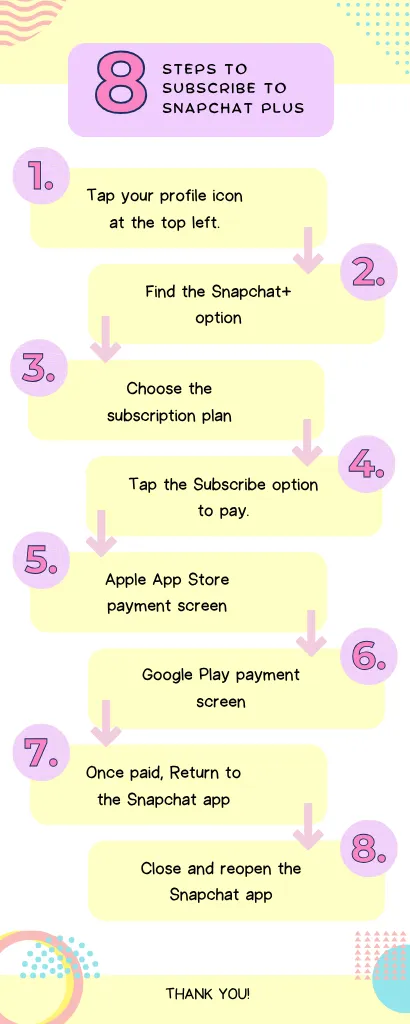
- Open Snapchat and tap your profile icon in the top left corner to open the profile page.
- Scroll down, find the Snapchat+ option, and tap it.
- Now, choose the subscription plan that fits your needs.
- Tap Subscribe; a payment screen will appear depending on your device.
- If you’re an iPhone user, you’ll see the Apple App Store payment screen, and you must confirm using Face ID, Touch ID, or your Apple ID password.
- If you’re an Android user, you’ll see the Google Play payment screen, and you must confirm using your Google account.
- After you pay, return to the Snapchat app and wait a few minutes.
- If the paid plan doesn’t activate after a few minutes, try closing and reopening the app, or log out and log back in.
How to Cancel Snapchat Plus?
Using iPhone
If you subscribed on an iPhone, you must cancel through your Apple ID, since Snapchat Plus is linked to it.
- Go to Settings on your phone.
- Tap your Apple ID name at the top of your screen.
- Select Subscriptions from the list.
- Find Snapchat+ on your active subscriptions and tap on it.
- Tap Cancel Subscription, then confirm the cancellation when Apple asks.
- Your subscription will remain active until the billing cycle ends.
Using Android
If you’ve subscribed using an Android device, follow these steps:
- Make sure you’re signed in with the same Google account that you used for the subscription.
- Navigate to the Google Play Store app on your phone.
- Tap your profile icon in the top-right corner.
- Select Payment & subscriptions from the menu.
- Find and tap Snapchat+ from your active plans.
- Tap Cancel subscription and follow the on-screen instructions.
Difference Between Snapchat vs Snapchat+ vs Platinum vs Lens+:
Snapchat offers four subscription plans: Standard, Plus, Platinum, and Lens+. Below is the table explaining what each plan offers you:
|
Feature |
Free Snapchat |
Snapchat Plus |
Snapchat+ Platinum |
Lens+ |
|
Core chatting & snaps |
Yes |
Yes |
Yes |
Yes |
|
Watch stories & reels |
Yes |
Yes |
Yes |
Yes |
|
Show Ads |
Yes |
Yes |
No |
Yes |
|
Pin a Best Friend |
No |
Yes |
Yes |
No |
|
Friend Solar System |
No |
Yes |
Yes |
No |
|
Priority Story Replies |
No |
Yes |
Yes |
No |
|
Custom App Icons |
No |
Yes |
Yes |
No |
|
Snapchat+ Badge |
No |
Yes |
Yes |
No |
|
Early access to features |
No |
Yes |
Yes |
No |
|
AI & Premium Lenses |
No |
Limited |
Limited |
Yes |
|
Best for |
Casual users |
Daily users |
Add-free lovers |
Content creators |
Does Snapchat+ Affect Planet Rankings?
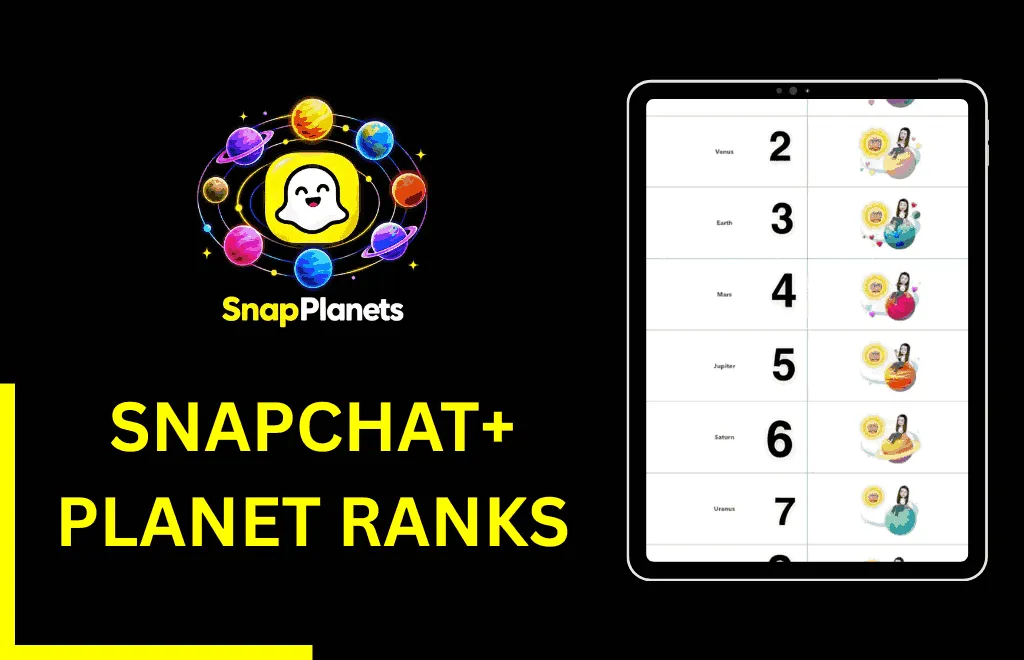
Planet rankings are completely based on how often you interact with your friends. Snapchat+ doesn’t affect your ranking; it just lets you view these rankings in the friend solar system. The planet position is calculated based on your chats, snaps, and overall engagement. If you’ve Snapchat Plus and your friend doesn’t, the planet ranking will still be calculated the same way it used to.
Is Snapchat Plus Worth It?
You may be wondering Is Snapchat Plus worth it for me? Then the answer depends on how often you use the app. If you’re a daily user who wants new customization tools, early access to new features, and more control over the app, the paid plan will be worth it. However, if you’re a casual user who opens the app occasionally, then the free plan will be enough. Moreover, if you want an ad-free experience, consider buying the Platinum plan.
Pros and Cons
- Access to exclusive features
- More control over the app
- Early access to experimental tools
- No ads removal
- Low value for casual users
Snapchat Plus Privacy & Safety
Data Privacy
Snapchat Plus doesn’t expose your private data to other users, and only you can see your private chats or snaps. The data, including your photos, videos, and messages, is completely private, just like in the free version.
Information for Parents
Snapchat Plus only unlocks additional exclusive features on top of the free version. It doesn’t allow strangers to read personal messages or private content. Parents can also use privacy settings for better control.
Guidance for Teenage Users
Teen users should use Snapchat Plus features with caution and responsibility. While Snapchat’s Friend Solar System is a great way to rank friendships, it can also cause confusion or misunderstandings that can lead to rifts in real-life friendships.
Common Snapchat Plus Problems & Fixes
Snapchat Plus Features Not Showing
If Snapchat Plus features aren’t showing, Snapchat may not have updated your account immediately after you paid. To fix this, simply close and reopen the app or log out and log back in.
Payment Completed but Snapchat Plus Not Active
If you’ve made the payment but Snapchat Plus isn’t active, it may be due to sync issues with the payment in the Apple Store or Google Play Store. To fix it, make sure your subscription is active in the store, then reopen Snapchat after a few minutes.
Snapchat Plus Option Not Appearing
This problem occurs when you’re using an outdated version of Snapchat. You can fix this issue by updating to the latest version.
Snapchat Plus Not Available in My Country
Snapchat Plus is available in a few regions, which can be a problem if you live in a region where the paid version hasn’t been released yet. So, wait patiently for Snapchat to release its Plus subscription in your country instead of using unsafe methods.
Snapchat Plus vs Other Social Media Subscriptions
Below is the table comparing prices between Snapchat Plus and other social media subscriptions:
|
Social Platform |
Price |
|
Snapchat+ Standard |
$3.99 |
|
Instagram Premium |
$4.99 |
|
X Premium |
$8.00 |
|
Snapchat+ Lens+ |
$7.99 |
|
YouTube Premium |
$13.99 |
|
Snapchat+ Platinum |
$14.99 |
FAQs
Conclusion
We’re at the end of the article, and if you’re still wondering whether is Snapchat Plus worth it for you, then you should ask this question to yourself because it completely depends on your app usage. If you’re a casual user who barely uses this app, then stick with the free version. However, if you’re a heavy user and want exclusive features, new customization tools, and early access to experimental tools, the Plus plan is worth every penny.